7 Restaurant Comment Card Ideas for Better Guest Feedback
The lunch rush has finished, a guest has mentioned a disappointing dish on the way out, and your team can't agree on what went wrong. Meanwhile, the comment cards beside the till contain mostly compliments and barely readable notes. You've collected feedback, but you still don't know what to change before dinner.
Turn every comment card into useful guest feedback. A good card appears at a useful moment, asks something the guest can answer quickly, and gives concerns a private route to someone who can act. It also gives your team a repeatable routine, not another inbox nobody checks during service.
The most useful restaurant comment card ideas match the question to the situation. A table prompt can catch a problem while the guest is still seated. A receipt invitation allows more reflection. A dedicated dietary card needs a different response from a compliment about your bartender.
Keep the destination consistent across your printed materials and website. If you're comparing restaurant site packages, include clear access to feedback alongside your menu and contact details. Then choose a format your team can manage, rather than launching every option at once.
Table of Contents
- 1. Table Tent 'How Was It?' Card with QR Code
- 2. Receipt QR Feedback Prompt
- 3. Single-Question 'Likelihood to Recommend' Card (NPS-Style)
- 4. Allergen and Dietary Comment Card
- 5. Multilingual Comment Card for Tourists
- 6. Post-Booking Follow-Up Feedback Card
- 7. Staff-Recognition Card for Team Feedback
- 7 Restaurant Comment Card Ideas: Side-by-Side Comparison
- Build a Feedback Routine Your Team Will Actually Use
1. Table Tent 'How Was It?' Card with QR Code
A guest notices that a dish is cold while still seated. A table tent can route that concern to the person on shift before the guest leaves, giving the team a chance to respond while the meal is still in front of them.
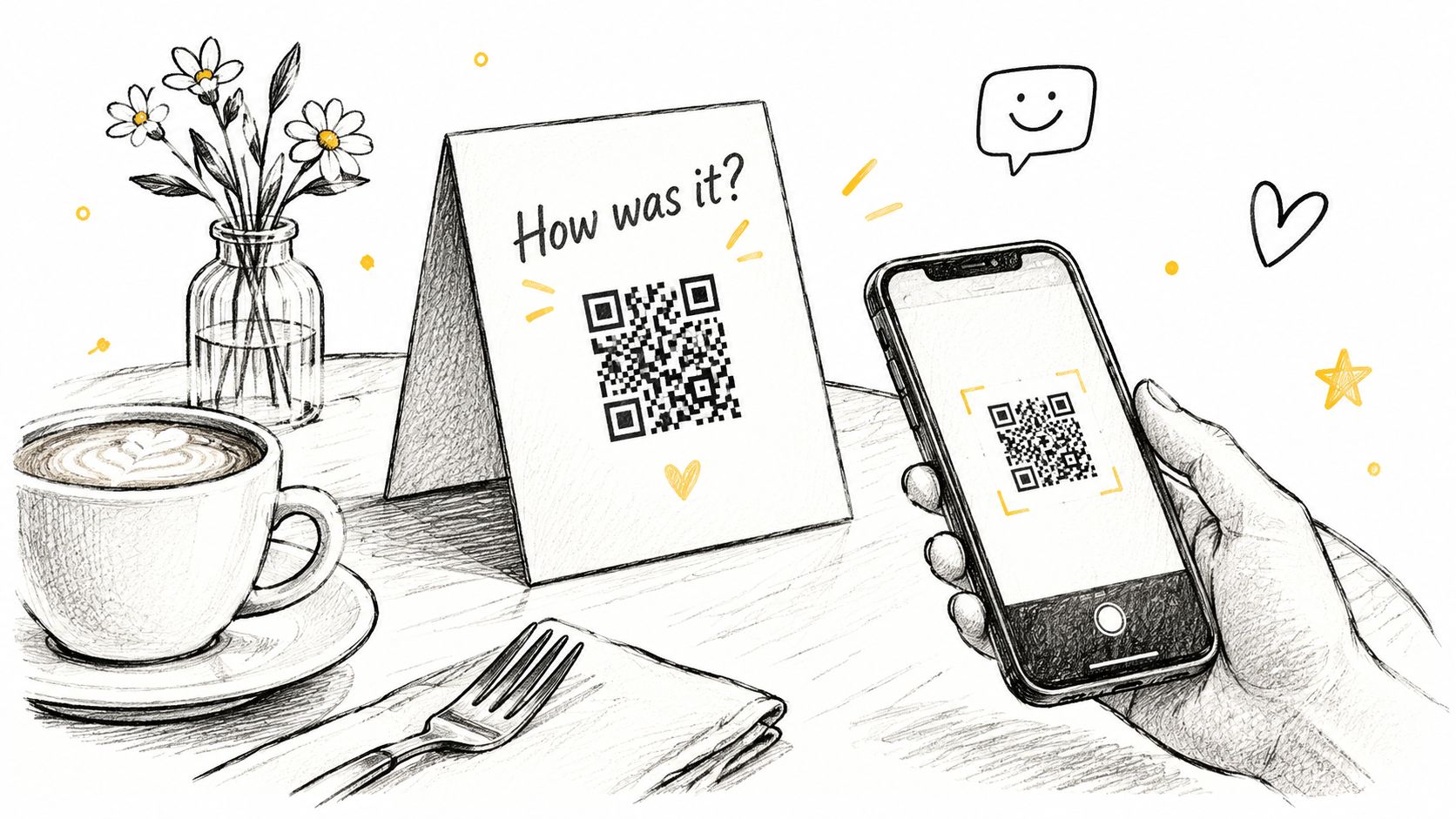
Use one short private form as the single destination for the table tent, counter signage and receipt, so responses land in one inbox. Set it up with a restaurant feedback form, then create the printed code with a QR generator and test it from the distance diners will scan it. Keep the tent clear of plates and serving space.
Give Someone Ownership During Service
A form only helps during a meal if someone sees the response in time. Assign the duty manager to check low ratings when service allows, and name a backup for busy periods. If neither person can monitor alerts live, state when guests can expect a reply.
Ask one direct question, such as “How was your meal today?”, then make the explanation optional. Categories for food, wait time, cleanliness and staff helpfulness can help identify a pattern, but each extra field makes the form longer.
Offer the same Google review option to every diner, regardless of their private rating. Google's rating-manipulation policy prohibits discouraging negative reviews and selectively soliciting positive ones. A guide to boost Google reviews with the right link can help you provide convenient access without filtering who gets invited.
The trade-off is visibility versus table clutter. A small tent stays within reach but can crowd a two-top; a counter sign frees table space, though fewer seated guests may notice it. Clear labeling and a mobile-friendly destination matter, just as they do when you use a digital QR menu.
2. Receipt QR Feedback Prompt
A receipt gives guests a private way to comment after paying, when they may be more comfortable describing a problem. A pub can print “Tell us how we did” in the bill footer; a café can use a clearly labelled sticker on the back of the receipt.
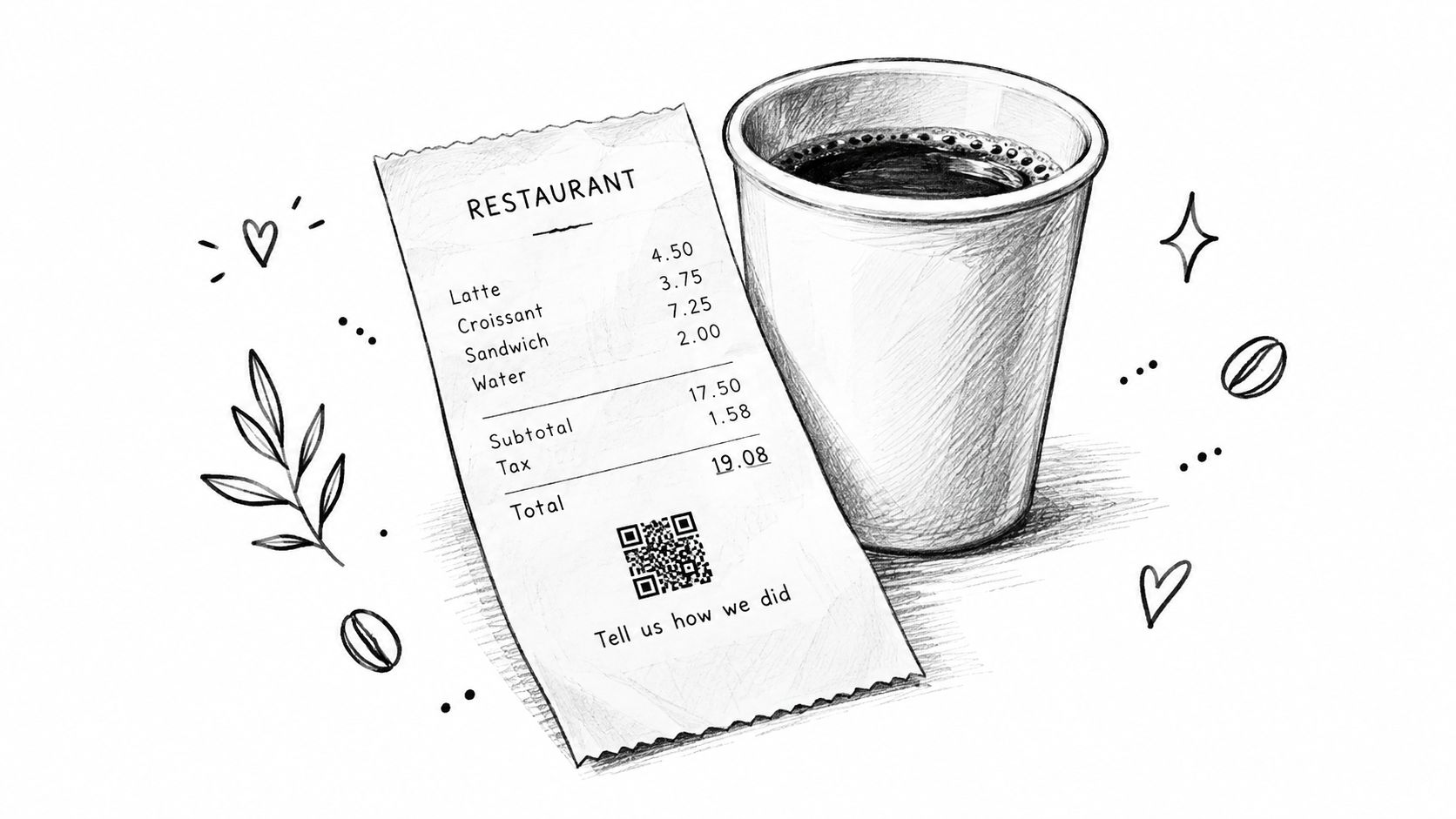
Check whether the till supports a custom footer or image before changing the layout. Reuse the same printed code format as your table cards, then scan an actual receipt rather than relying on an onscreen preview.
Practical rule: Test the smallest, faintest receipt your printer produces, not just a clean sample from setup.
Keep the form easy to use on a phone, with no account creation. As with alternatives to turning a PDF menu into a QR code, the destination matters: a guest should be able to respond without enlarging a document or downloading a file.
Measure the Invitation, Not Just the Answers
Route submissions to one private feedback inbox, with low ratings visible to the manager. Record the visit period and whether the order was eaten in or taken away, but don't require contact details.
The trade-off is timing. A guest can respond without pressure after leaving, but the complaint may arrive too late to fix during the visit. Keep staff conversations available during service, and treat a quiet receipt channel as limited feedback, not proof that everything went well.
Track completed forms separately from QR scans or receipts issued. Otherwise, a change in response volume could reflect where the prompt appears, rather than a change in guest satisfaction.
3. Single-Question 'Likelihood to Recommend' Card (NPS-Style)
A recommendation card earns its keep when the same question survives menu changes, staff rotations, and a hectic Friday. Ask “How likely are you to recommend us to a friend?” on a 0-10 scale, then add “What is the main reason for your answer?” so managers get a signal plus a starting clue.
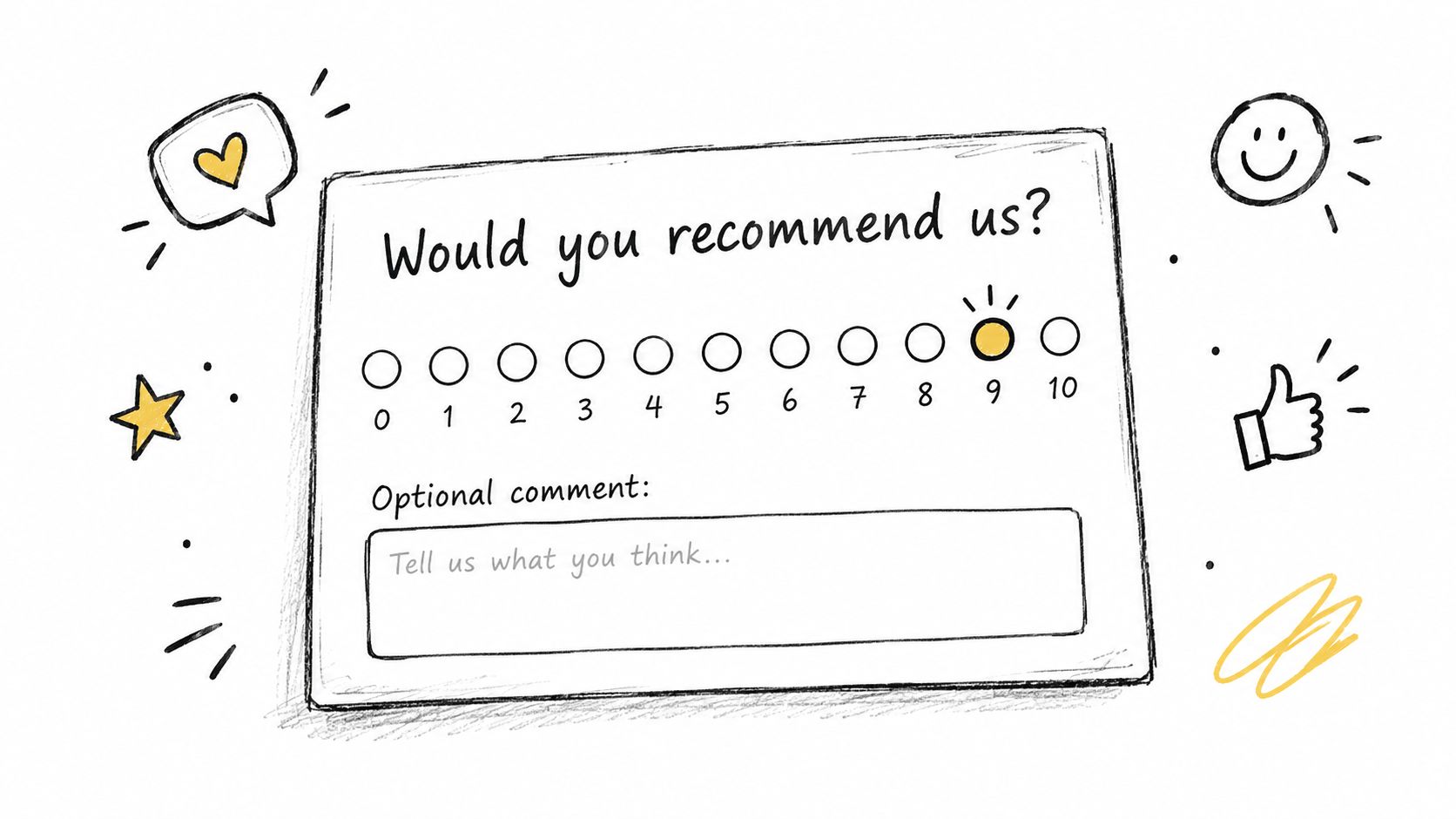
If you use formal Net Promoter Score, calculate it as the percentage of 9-10 answers minus the percentage of 0-6 answers, and report the response count next to the score. Keep that separate from a simple average recommendation rating. Tools that measure loyalty from testimonials can support the wider picture, while inferred sentiment stays labeled differently from survey answers.
Keep the Question Stable and Investigate the Reason
For a bar comparing two sites, consistency beats clever wording. Use the same scale, placement, and handover moment; a card presented with the bill will produce a different pattern from one left on the table all night. Read a harsh Saturday cluster as a prompt to check staffing, noise, or waiting time, not a verdict on the crew.
- Make the explanation optional: a guest can rate quickly, with room for context when something specific went wrong.
- Route low scores to the duty manager during service, and reply afterward only where contact details and permission exist.
- Log service period, location, and eat-in or takeaway so follow-up starts with facts.
Use your private feedback form for ratings and comments, but check its available scale before calling the result NPS. A five-star widget can collect complaints without producing a 0-10 promoter calculation.
The trade-off is comparability versus diagnosis. The score tracks one stable question well, yet it will not say whether the cause was value, food, noise, or waiting time. Treat the written reason as the operational lead, and keep public-review invitations independent from the answer.
4. Allergen and Dietary Comment Card
An allergen concern needs an immediate staff response. A written report collected after the meal arrives too late to protect that guest, so put this distinction directly on the card: urgent allergy questions must be raised with staff before ordering, and suspected problems during service should be reported at once.
A café could place a "Report an issue" option beside its allergen information. Ask which dish was involved, what the guest was told, and what appeared inconsistent, while making clear that the form is not an emergency channel.
Separate Safety Escalation From Routine Feedback
Build and maintain the information with the free allergen menu, and review the restaurant allergen compliance checklist alongside the requirements that apply in your country or region. Another country's wording or procedures will not necessarily meet your obligations.
Use this walkthrough of updating allergen information alongside a staff discussion about keeping ingredient records current.
Send written concerns to your private feedback inbox, then assign the kitchen lead or manager to investigate. Preserve the original report, check the recipe and ingredient information, and record what was corrected.
If the issue concerns inaccurate dish wording, update the relevant description through the free menu creator. If you provide a scannable route, label its purpose clearly on the printed card.
The trade-off is convenience versus false reassurance. A dedicated card makes inconsistencies easier to report, but it does not verify ingredients, prevent cross-contact, or replace a conversation with trained staff. A submitted form never makes a dish safe to eat.
5. Multilingual Comment Card for Tourists
A guest who can read your menu may still struggle to explain that a dish arrived cold or a request was misunderstood. Give them a clearly labelled language choice before asking for a rating, rather than expecting them to use a form in the local language.

A seaside café could start with the languages its team encounters during a normal week, not every language it might someday need. Keep dish names consistent between the menu and the feedback form, using AI menu translation for the first pass and asking native speakers to check important wording. If your team cannot verify full machine translation, start with the basic translation your current setup supports and have native speakers check the rating labels.
Translate the meaning of the question and the rating labels, not just the individual words.
Keep each question focused on a distinct experience. Asking whether service was “friendly and fast” leaves guests without an accurate answer when the staff were welcoming but the wait was long.
Make Access Part of Answer Quality
Use readable type, strong contrast, labelled fields, large tap targets, and a form that works with screen readers. The discussion of multilingual restaurant feedback design highlights why translation and accessibility belong in the measurement process, not just the presentation.
Hotels can apply the same approach to room-service materials through a hotel digital menu. Connect the printed invitation with a QR code and retain original comments alongside translations in your feedback inbox, so a reviewer can check the guest's own words against the translated version.
The trade-off is reach versus maintenance. Every added language needs checking when wording changes. Start with a manageable set rather than displaying translations your team can't verify.
6. Post-Booking Follow-Up Feedback Card
A tasting-menu restaurant could send a short thank-you message the morning after the visit. A café taking brunch reservations could use the guest's agreed messaging channel to ask how the experience went, with separate options for private feedback and a public review.
Keep the message personal: thank the guest, identify the restaurant and sender, and ask a specific question tied to the visit. Don't turn a service follow-up into an unrelated promotion, and provide a clear opt-out where appropriate.
Connect the Visit Without Assuming Automation
A free, commission-free booking page and widget gives guests a direct reservation route from your Google Business Profile, Instagram, or menu. Email confirmations and reminders support reservation communication and can help reduce no-shows, without requiring a commission-based booking channel.
Use the booking record to identify completed visits before sending feedback requests. A “How was your meal?” message sent to someone who cancelled or never attended tells that guest you aren't paying attention. Don't assume reservation software supports post-visit surveys without checking either; a manual send from the booking list works fine for a small team.
- Respect permission. Send the follow-up only through the channel the guest chose at booking, include the restaurant name in the sender line, and honour opt-outs within one service day.
- Keep the invitation consistent. Give every recipient the same public-review option, independent of private feedback.
- Connect the context. Record the visit date and service period without asking guests to re-enter unnecessary details.
Send private responses to your feedback inbox so post-booking comments sit beside table and receipt responses. If your confirmation already contains useful dining information, guidance on how to make a digital menu can help keep those guest-facing materials consistent.
The trade-off is context versus coverage. Reservation-linked feedback can be easier to investigate, but it excludes guests who didn't book. Keep a table or receipt invitation available so your feedback isn't limited to reservation holders.
7. Staff-Recognition Card for Team Feedback
Ask “Did someone make your visit better?” so guests describe a moment instead of searching for a name. A clear account of what happened gives you something coachable: what was done, when it mattered, and which station or shift it came from.

A neighbourhood bar can read one compliment at the next pre-shift briefing, then name the behaviour behind it: the bartender checked a preference before mixing, a runner caught a missing side before it reached the table, or a host explained a delay without being asked. Treat these as examples to repeat, not entries in a popularity contest.
Toast's diner-feedback survey found that exceptional service motivated feedback for 39% of respondents, while outstanding food motivated 33%. Ask about the whole experience so kitchen staff and less visible team members aren't excluded from recognition.
Recognise the Behaviour, Not Just the Person
Capture comments privately through your feedback form, then separate compliments from concerns during review. If your inbox doesn't support the labels you need, use a simple team log with date, shift, area, and behaviour rather than leaving praise buried among unresolved complaints.
Team briefing principle: Share praise promptly, explain what worked, and give colleagues a behaviour they can repeat.
Ask employees how they prefer recognition, and keep sensitive guest details out of public briefings. Track mentions by role for a month, because servers, hosts, and bartenders usually get more chances to be named than prep cooks or dishwashers.
The trade-off is motivation versus fairness. Recognition can make feedback useful for training, but a leaderboard can undervalue quiet, consistent work. Combine guest comments with a manager's direct observations, and log one behaviour per compliment so the next briefing has something specific to repeat.
7 Restaurant Comment Card Ideas: Side-by-Side Comparison
| Feedback Method | 🔄 Implementation Complexity | Resource Requirements | 📊 Expected Outcomes | 💡 Ideal Use Cases | ⭐ Key Advantage |
|---|---|---|---|---|---|
| Table Tent “How Was It?” QR Card | Low: print and place cards; configure a short form | Low: printed cards, QR form, regular inbox checks | In-the-moment feedback and review access for all diners | Restaurants seeking visible, during-meal feedback | ⚡ Guests can flag issues while staff can still address them |
| Receipt QR Feedback Prompt | Low to moderate: add QR code to receipt or bill | Low: POS customization and feedback form | Post-meal comments from a broad share of paying guests | Cafés and venues with customizable receipts | ⚡ Uses an existing guest touchpoint with little staff effort |
| NPS-Style Recommendation Card | Low: add a 0–10 question and optional comment field | Low: form and periodic score tracking | 📊 Comparable sentiment trends and detractor identification | Operators tracking loyalty across time, shifts, or locations | ⭐ Provides a consistent metric alongside guest comments |
| Allergen and Dietary Comment Card | Moderate: create a dedicated form and urgent routing | Moderate: current allergen information and manager follow-up | Faster visibility into dietary concerns and menu mismatches | Venues managing allergen-sensitive menus | ⭐ Creates a focused reporting channel; does not replace safety procedures |
| Multilingual Tourist Comment Card | Moderate to high: translate and review card and form content | Moderate: verified translations and a process for handling replies | More feedback from international guests and fewer language misunderstandings | Tourist areas and venues serving multilingual guests | 💡 Makes it easier for visitors to report concerns in a familiar language |
| Post-Booking Follow-Up Feedback | Moderate: connect follow-up messages to booking records | Moderate: booking system, guest consent, email or SMS | Post-visit feedback linked to reservations and potential repeat visits | Restaurants with direct bookings and guest contact details | ⚡ Reaches guests who did not respond during their visit |
| Staff-Recognition Card | Low: add staff-name and compliment fields | Low: form or cards, recognition log, team sharing routine | More visible staff praise and insights for coaching | Teams focused on service recognition and development | ⭐ Turns guest compliments into practical recognition and training feedback |
Build a Feedback Routine Your Team Will Actually Use
Start with a prompt matched to a real operational need: a table tent for immediate service concerns, a receipt invitation for post-meal reflection, or a dedicated route for dietary issues. Keep the question short, send private responses to a searchable inbox, and give every diner the option to leave a public Google review. Review responses at a fixed time each day, with urgent concerns handled separately.
The strongest comment card isn't the one collecting the most responses. It's the one that produces a clear change in the next shift. Give each actionable concern an owner, a next step, and a review point. “Service was slow” needs investigation; “the manager will check where drinks waited during the evening service” gives someone a concrete task.
Keep Measurement Useful for a Small Team
Track response count, recurring categories, low ratings, and unresolved issues. Keep positive, neutral, and negative answers visible rather than relying entirely on an average. In the historical Miami restaurant satisfaction study, 84.36% of respondents described a good experience, but 12.05% described a bad one, illustrating why a broadly positive result still deserves closer inspection.
- Assign operational owners. Kitchen leads investigate food concerns, front-of-house managers review service issues, and management handles pricing or communication questions.
- Record the action. Note whether you corrected information, coached a process, contacted the guest, or still need evidence.
- Check the next service. Confirm that the agreed change happened before treating the issue as resolved.
Don't confuse voluntary responses with a representative picture of every guest. Compare feedback across channels and service periods, and ask staff what they observed. A card supplements attentive service; it doesn't replace it.
Finally, close the loop with guests who invited contact. A useful reply acknowledges the specific concern, explains what you checked, and states what you can do. Avoid promises you can't verify, and don't make help conditional on changing or removing a public review.
TopFoodApp offers private restaurant feedback forms, a translated inbox, low-rating alerts, and a Google review button shown to every diner. Visit TopFoodApp to set up a digital comment card for your tables or receipts, then assign someone to review the responses before your next service.