How to Update Your QR Menu in Real Time — No Reprints, No Hassle
You printed beautiful QR codes for every table. But then the price of salmon went up. Now your printed menus show the wrong price, and you're faced with a choice: reprint everything or disappoint customers at checkout. There's a better way. A real-time digital menu lets you update anything — prices, dishes, specials — and your QR code stays exactly the same.
The Hidden Cost of Static QR Menus
Many restaurants adopted QR menus during the pandemic by linking to a PDF or a static image. While this was a good first step, static QR menus create problems that compound over time.
- Reprint costs: Every price change, seasonal update, or new dish means regenerating the PDF and potentially reprinting QR codes if the link changes.
- Outdated information: If you forget to update the file, guests see last month's prices, discontinued dishes, or missing specials — damaging trust and causing friction.
- No daily specials: Static menus can't show a daily lunch special or a weekend brunch menu without manually swapping files every day.
- Customer frustration: Ordering a dish and learning it's unavailable, or being charged a different price than advertised, leads to complaints and negative reviews.
How Real-Time Menu Updates Work
With a dynamic digital menu platform like TopFood App, your QR code doesn't point to a file — it points to a live menu that always reflects your latest changes.
One QR code, forever
Your QR code never changes. Print it once on table cards, stickers, or your website. Any edits you make appear instantly when guests scan.
Update from any device
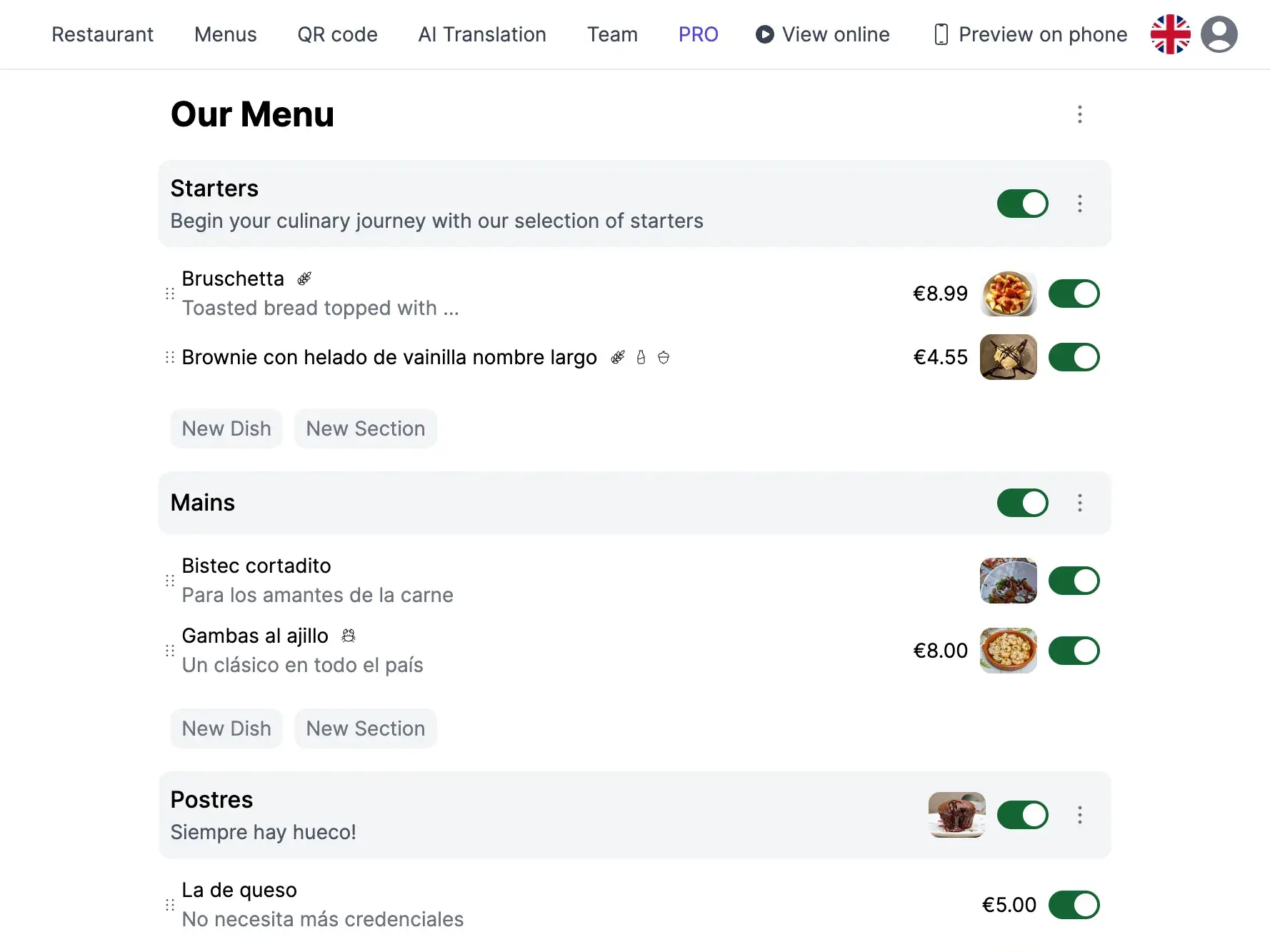
Change a price, hide a sold-out dish, or add a weekend special from your phone, tablet, or computer. No technical skills needed.
Changes appear in seconds
There's no publishing step or delay. Save the change and it's live. Guests scanning the QR code at that moment see the updated menu immediately.
Zero printing costs
Since the QR code stays the same regardless of menu content, you never need to reprint anything. Your table cards last forever.
When Real-Time Updates Save the Day
Here are everyday situations where a live menu pays for itself:
- Price adjustments: Ingredient costs fluctuate. Update your prices in seconds instead of absorbing the loss or reprinting menus.
- Daily specials and lunch menus: Add a lunch special in the morning, remove it after service. Tomorrow, add a different one. No file swapping, no new QR codes.
- Sold-out dishes: 86'd the risotto? Hide it from the menu with one tap so no guest orders something you can't serve.
- Seasonal menu changes: Transition from your winter to spring menu gradually — add new dishes and remove old ones at your own pace.
- Events and holidays: Create a special Valentine's Day or New Year's Eve menu and activate it for just that day. Revert to the regular menu automatically.
How to Set Up a Real-Time QR Menu
Getting started takes minutes, not hours.
-
Create your account and restaurant
Sign up for free on TopFood App. Add your restaurant name, logo, and basic details.
-
Build your menu
Add menus, categories, and dishes with prices, descriptions, allergen info, and photos.
-
Download your QR code
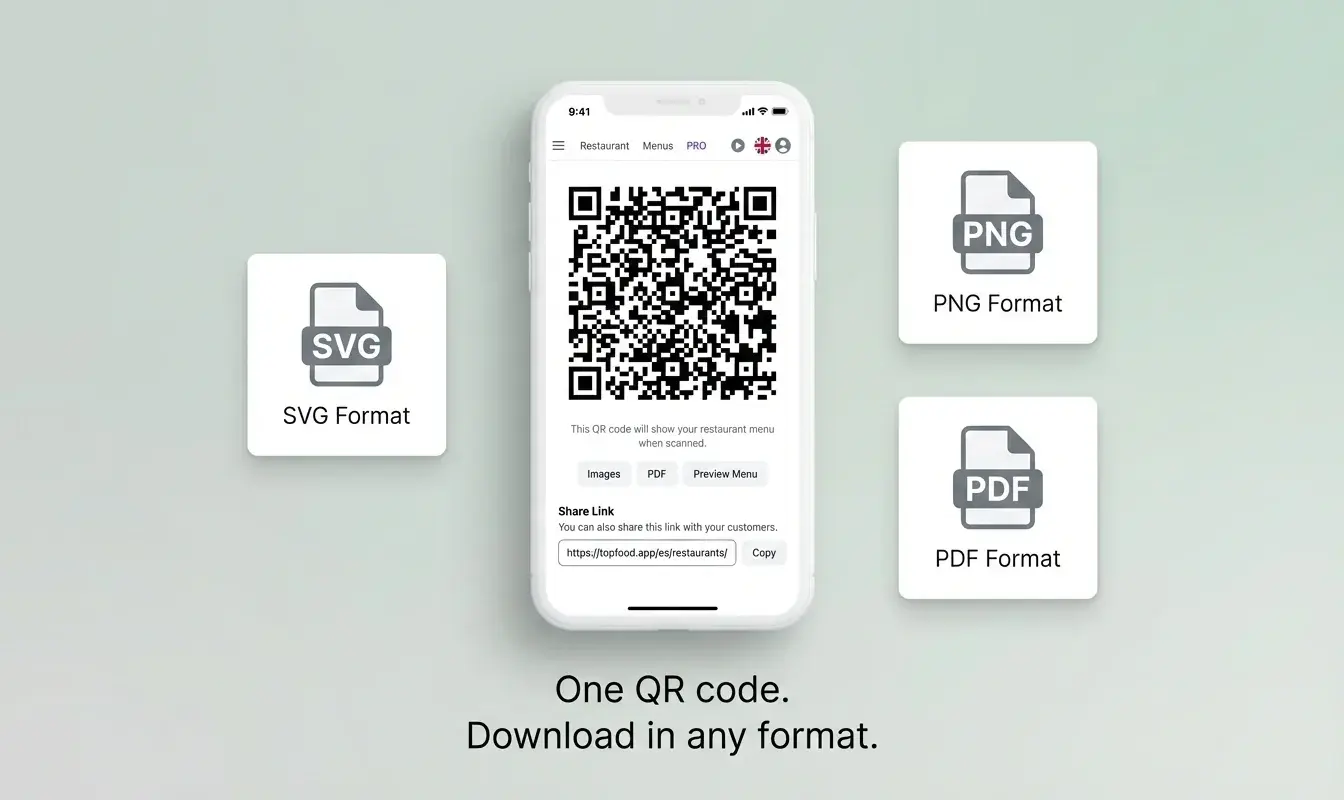
Generate your permanent QR code and print it on table cards, stickers, or your storefront. This QR code will never change.
-
Edit whenever you need
Log in any time, change anything, and save. Your guests see the update the next time they scan — instantly.
Static QR Menu vs Real-Time QR Menu
| Scenario | Static QR (PDF/Image) | Real-Time QR Menu |
|---|---|---|
| Price change | Edit PDF, re-upload, hope old links still work | Change the price, save — done in 10 seconds |
| Sold-out dish | Cross it out with marker? Tell every table? | Tap 'hide' — dish disappears instantly |
| Daily special | Create new PDF daily, swap file manually | Add dish in the morning, remove after service |
| Seasonal menu swap | Design new PDF, reprint QR codes if URL changes | Edit dishes gradually — QR code stays the same |
| New dish added | Redesign layout, export, re-upload | Add dish, upload photo, publish — 2 minutes |
Stop Reprinting. Start Updating.
A QR code that links to a static file is better than no QR code at all — but it's a half-measure that creates ongoing costs and customer friction. A real-time digital menu gives you the flexibility to run your restaurant the way it actually works: with daily changes, seasonal shifts, and last-minute updates. Best of all, it's free.
Frequently Asked Questions
Do I need to reprint my QR code when I change the menu?
No. That's the whole point. Your QR code points to a live menu, not a file. Change prices, add dishes, remove items — the QR code stays exactly the same. Print it once and forget about it.
How fast do changes appear to guests?
Instantly. As soon as you save a change in your dashboard, any guest who scans the QR code sees the updated menu. There's no publishing delay or cache to clear.
Can I schedule menu changes in advance?
Currently, changes are made manually and take effect immediately. For scheduled events, simply make the changes at the start of service and revert when you're done.
What if I accidentally delete a dish?
You can re-add it at any time. For temporary removal (like a sold-out item), use the hide/show toggle instead of deleting — the dish stays in your dashboard and can be made visible again with one tap.