วิธีอัปเดตเมนู QR ของคุณแบบเรียลไทม์ — ไม่ต้องพิมพ์ใหม่ ไม่ยุ่งยาก
คุณพิมพ์ QR code สวย ๆ ไว้บนทุกโต๊ะ แต่แล้วราคาปลาแซลมอนก็ขึ้น ตอนนี้เมนูที่พิมพ์มีราคาผิด คุณต้องเลือกระหว่างพิมพ์ใหม่ทั้งหมดหรือทำให้ลูกค้าผิดหวังตอนเช็คบิล ยังมีทางเลือกที่ดีกว่า เมนูดิจิทัลแบบเรียลไทม์ช่วยให้คุณอัปเดตทุกอย่าง — ราคา เมนู โปรโมชั่น — และ QR code ของคุณยังคงเหมือนเดิม
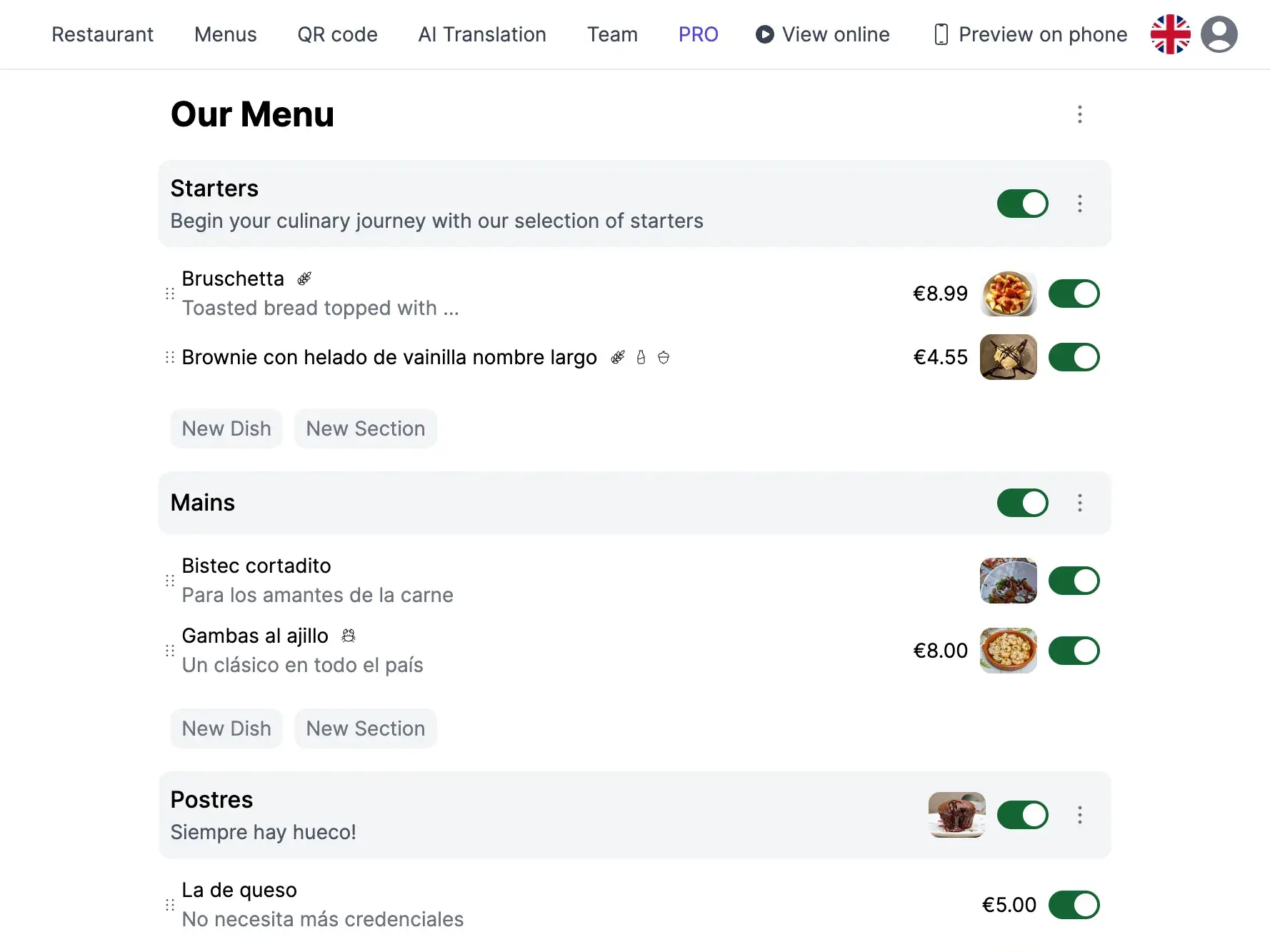
ต้นทุนที่ซ่อนอยู่ของเมนู QR แบบคงที่
ร้านอาหารหลายแห่งใช้เมนู QR ระหว่างการระบาดโดยการลิงก์ไปยัง PDF หรือภาพนิ่ง แม้ว่านี่จะเป็นก้าวแรกที่ดี แต่เมนู QR แบบคงที่สร้างปัญหาที่สะสมขึ้นเมื่อเวลาผ่านไป
- ค่าใช้จ่ายการพิมพ์ซ้ำ: ทุกครั้งที่มีการเปลี่ยนราคา การอัปเดตตามฤดูกาล หรือเมนูใหม่ หมายถึงการสร้าง PDF ใหม่และอาจต้องพิมพ์ QR code ใหม่หากลิงก์เปลี่ยน
- ข้อมูลล้าสมัย: ถ้าคุณลืมอัปเดตไฟล์ ลูกค้าจะเห็นราคาของเดือนที่ผ่านมา จานที่ยกเลิกไป หรือโปรโมชั่นที่หายไป — ทำลายความเชื่อใจและสร้างความไม่สะดวก
- ไม่มีเมนูพิเศษประจำวัน: เมนูคงที่ไม่สามารถแสดงเมนูพิเศษมื้อกลางวันประจำวันหรือเมนูบรันช์วันหยุดสุดสัปดาห์ได้โดยไม่ต้องสลับไฟล์ด้วยมือทุกวัน
- ความไม่พอใจของลูกค้า: การสั่งจานแล้วรู้ว่าหมด หรือถูกคิดราคาแตกต่างจากที่โฆษณานำไปสู่ข้อร้องเรียนและรีวิวแย่ ๆ
การทำงานของการอัปเดตเมนูแบบเรียลไทม์
ด้วยแพลตฟอร์มเมนูดิจิทัลแบบไดนามิกอย่าง TopFood App QR code ของคุณจะไม่ชี้ไปยังไฟล์ แต่ชี้ไปยังเมนูสดที่สะท้อนการเปลี่ยนแปลงล่าสุดเสมอ
QR code เดียว ใช้ได้ตลอดไป
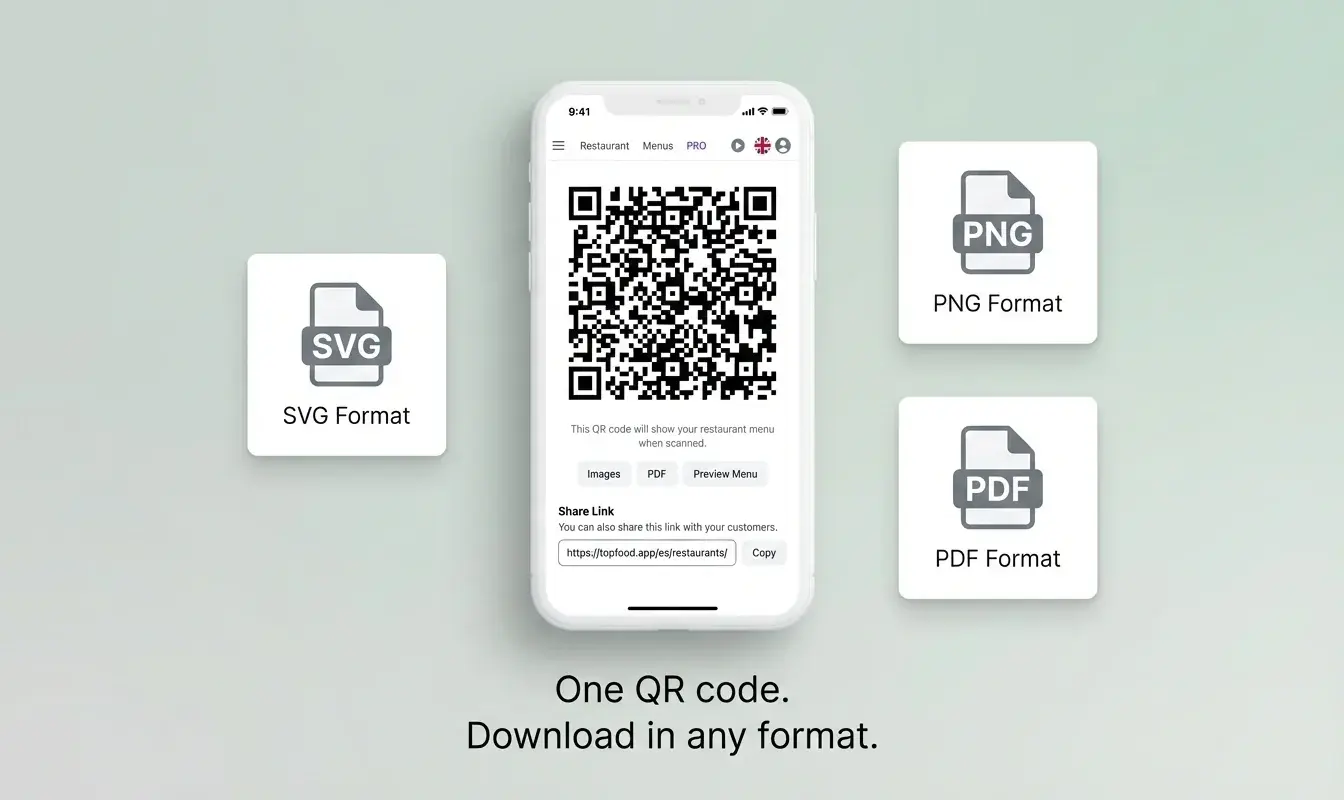
QR code ของคุณจะไม่เปลี่ยน แสดงครั้งเดียวบนการ์ดโต๊ะ สติกเกอร์ หรือเว็บไซต์ของคุณ การแก้ไขใดๆ ที่คุณทำจะปรากฏทันทีเมื่อมีการสแกนจากลูกค้า
อัปเดตจากอุปกรณ์ใดก็ได้
เปลี่ยนราคา ซ่อนจานที่ขายหมด หรือเพิ่มโปรโมชั่นสุดสัปดาห์จากโทรศัพท์ แท็บเล็ต หรือคอมพิวเตอร์ของคุณ ไม่ต้องมีทักษะทางเทคนิค
การเปลี่ยนแปลงปรากฏในไม่กี่วินาที
There's no publishing step or delay. Save the change and it's live. Guests scanning the QR code at that moment see the updated menu immediately.
Zero printing costs
Since the QR code stays the same regardless of menu content, you never need to reprint anything. Your table cards last forever.
When Real-Time Updates Save the Day
Here are everyday situations where a live menu pays for itself:
- Price adjustments: Ingredient costs fluctuate. Update your prices in seconds instead of absorbing the loss or reprinting menus.
- Daily specials and lunch menus: Add a lunch special in the morning, remove it after service. Tomorrow, add a different one. No file swapping, no new QR codes.
- Sold-out dishes: 86'd the risotto? Hide it from the menu with one tap so no guest orders something you can't serve.
- Seasonal menu changes: Transition from your winter to spring menu gradually — add new dishes and remove old ones at your own pace.
- Events and holidays: Create a special Valentine's Day or New Year's Eve menu and activate it for just that day. Revert to the regular menu automatically.
How to Set Up a Real-Time QR Menu
Getting started takes minutes, not hours.
-
Create your account and restaurant
Sign up for free on TopFood App. Add your restaurant name, logo, and basic details.
-
Build your menu
Add menus, categories, and dishes with prices, descriptions, allergen info, and photos.
-
Download your QR code
Generate your permanent QR code and print it on table cards, stickers, or your storefront. This QR code will never change.
-
Edit whenever you need
Log in any time, change anything, and save. Your guests see the update the next time they scan — instantly.
Static QR Menu vs Real-Time QR Menu
| Scenario | Static QR (PDF/Image) | Real-Time QR Menu |
|---|---|---|
| Price change | Edit PDF, re-upload, hope old links still work | Change the price, save — done in 10 seconds |
| Sold-out dish | Cross it out with marker? Tell every table? | Tap 'hide' — dish disappears instantly |
| Daily special | Create new PDF daily, swap file manually | Add dish in the morning, remove after service |
| Seasonal menu swap | Design new PDF, reprint QR codes if URL changes | Edit dishes gradually — QR code stays the same |
| New dish added | Redesign layout, export, re-upload | Add dish, upload photo, publish — 2 minutes |
Stop Reprinting. Start Updating.
A QR code that links to a static file is better than no QR code at all — but it's a half-measure that creates ongoing costs and customer friction. A real-time digital menu gives you the flexibility to run your restaurant the way it actually works: with daily changes, seasonal shifts, and last-minute updates. Best of all, it's free.
คำถามที่พบบ่อย
ฉันต้องพิมพ์รหัส QR ใหม่เมื่อฉันเปลี่ยนเมนูหรือไม่?
ไม่ต้องพิมพ์ใหม่ นั่นคือจุดเด่นของระบบ รหัส QR ของคุณชี้ไปยังเมนูแบบสด ไม่ใช่ไฟล์ เปลี่ยนราคา เพิ่มเมนู ลบรายการ — รหัส QR จะยังคงเหมือนเดิม พิมพ์ครั้งเดียวแล้วลืมมันไปได้เลย
การเปลี่ยนแปลงจะปรากฏให้ลูกค้าเห็นเร็วแค่ไหน?
ทันทีที่คุณบันทึกการเปลี่ยนแปลงในแดชบอร์ด ลูกค้าที่สแกนรหัส QR จะเห็นเมนูที่อัปเดตทันที ไม่มีการหน่วงเวลาในการเผยแพร่หรือการล้างแคช
ฉันสามารถตั้งเวลาการเปลี่ยนเมนูล่วงหน้าได้ไหม?
ขณะนี้การเปลี่ยนแปลงต้องทำด้วยตนเองและจะมีผลทันที สำหรับกิจกรรมที่มีการนัดไว้ล่วงหน้า ให้ทำการเปลี่ยนแปลงเมื่อเริ่มบริการแล้วกลับคืนเมื่อเสร็จสิ้น
ถ้าฉันเผลอลบเมนูไปจะทำอย่างไร?
คุณสามารถเพิ่มกลับได้ทุกเมื่อ สำหรับการลบชั่วคราว (เช่น รายการที่ขายหมด) ให้ใช้สวิตช์ซ่อน/แสดง แทนการลบ — รายการจะยังคงอยู่ในแดชบอร์ดของคุณและสามารถแสดงกลับได้ด้วยการแตะเพียงครั้งเดียว